


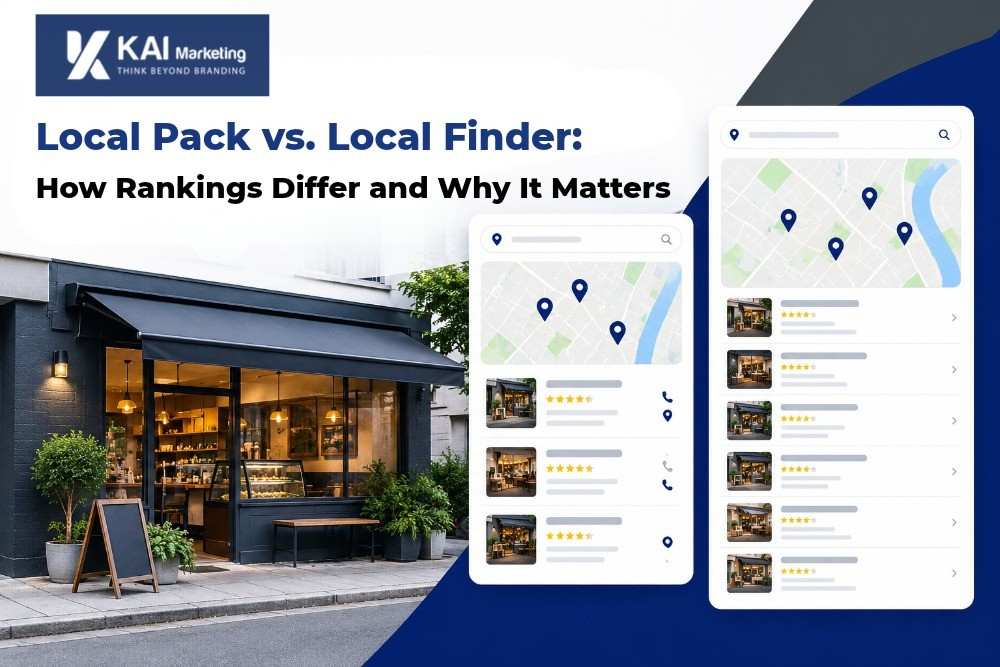
Local pack vs. local finder comes down to scope. The local pack is the three-business map box on the main results page; the local finder is the expanded, scrollable list that opens from it. Both use relevance, distance and prominence, but the finder shows more businesses, so a listing can rank there without reaching the pack.
What Is the Local Pack, and What Is the Local Finder?
The local pack is the map-and-listings block Google places near the top of results when a search carries local intent, such as “emergency plumber” or “accountant near me.” It typically shows three businesses with their names, ratings, hours and contact buttons. Because it sits above or among the organic results, it is the most visible local placement on the page. You can check our guide about getting to the top 3 of the Google Maps pack.
The local finder is the deeper view. When a searcher clicks the “More places” or “More businesses” button at the bottom of the pack, Google opens a longer list of matching businesses beside a larger map. It also adds filters such as rating and opening hours. This is the answer to “what is the Google local finder”: the full set of local results behind the pack’s top few.
Both views draw on the same Google Business Profile data. The difference is how many businesses show and how a searcher gets there.
How Do Their Rankings Differ?
Google describes local ranking as a mix of relevance, distance and prominence in both views. The practical difference is how much competition each view lets through.
| Local Pack | Local Finder | |
|---|---|---|
| Results shown | A short set, usually three businesses | A longer, scrollable list with more businesses |
| Trigger | Local-intent searches on the main results page | Clicking “More places” or “More businesses” from the pack |
| How users reach it | Appears automatically with the search results | Requires an extra click from the pack |
| Competitive pressure | Very high: few slots | Lower: more slots, so more businesses qualify |
| Typical searcher behavior | Quick comparison of the top few | Deeper comparison, often with filters applied |
The pack is a selection, and the finder is a list. A business has to clear a higher bar to be selected than to be listed.
Why You Can Show in the Finder but Not the Pack
Appearing in the finder without the pack is common, and it usually points to a small gap in one of three areas:
- Prominence. Fewer or older reviews, a thinner citation footprint or weaker brand mentions can leave a profile qualified for the longer list but behind the three businesses chosen for the pack.
- Relevance. A primary category that is close to the query, but not the closest match, can still earn a finder listing.
- Distance. A searcher standing close to a competitor often sees that competitor in the pack, while your business appears further down the finder. Distance is the one factor you cannot change, so strengthen the other two.
Local pack results also vary by searcher location, so two people in the same city can see different packs. When someone reports “I’m not showing up,” ask where they searched from before changing anything. A geo-grid rank check shows how your visibility shifts across a service area and is a more reliable measure than one search from one desk.
Which One Brings More Customers?
The pack gets the first look, and the finder gets the more motivated one.
What can be said:
- The pack captures fast decisions. Searchers who want a quick answer often choose from the three listings in front of them, so a pack placement tends to drive calls and direction requests.
- The finder serves comparison shoppers. Someone who clicks through to the longer list is comparing options, often with filters. A strong profile with solid reviews, accurate hours and good photos can win business there even without a pack placement.
- Both views feed the same profile. Calls, direction requests and website visits from either view show up in your GBP performance data, so track them together instead of choosing one to optimize.
For most local businesses, the pack is the goal, and the finder is the floor. Treat finder visibility as proof that the profile qualifies and use the gap to the pack as your to-do list.
How to Improve Both
The same fundamentals move you in both views. Prioritize in this order:
- Audit your primary category and services. Make sure they match how customers actually search.
- Build review volume and recency. Respond to every review, positive or negative.
- Fix citation and NAP inconsistencies. The name, address and phone number must match across directories.
- Strengthen your location-relevant website content. Service pages should reflect the areas you serve.
- Measure by location. Use geo-grid tracking, not a single search.
For the full breakdown of weighting and priorities, see our guide to the local pack ranking factors 2026. If you want a team to run this process for you, our local SEO services cover audits, profile optimization and ongoing tracking.
Frequently Asked Questions
What is the local finder on Google?
The local finder is Google’s expanded list of local businesses. It opens when a searcher clicks “More places” or “More businesses” below the local pack. It shows more listings than the pack, along with a larger map and filters, and it draws on the same Business Profile data.
Is the local finder the same as Google Maps?
No. They are related but separate. The local finder is a view that opens from a Google Search results page, while Google Maps is a standalone app and site with its own interface. Both use Business Profile data, but the results and their order can differ because of the map viewport, searcher location and personalization.
How do I get from the finder into the pack?
Closing the gap means improving prominence and relevance: more recent reviews, a precise primary category, consistent citations and stronger local content. You cannot change distance, but you can make your profile the strongest match among nearby competitors. Re-check with geo-grid tracking over several weeks, since changes take time to reflect.
Does ranking in the finder help my pack ranking?
Not directly. Finder visibility signals that your profile qualifies for the query, but the pack is a separate selection. The same improvements that raise your finder position also raise your pack chances, which is why the two views are best worked on together.
Book a Local Visibility Review
If your business appears in one map view and not the other, the cause is usually specific and fixable. KAI Marketing runs a local visibility review that shows where you rank across your service area, which signals are holding you back and what to fix first. Explore our local SEO services or request your review today.